What do I do? I just remove the back cover, take one of the batteries out my Xbox controller and put it back in again so its forced to shut off 
Can’t use the X logo as it just starts steam big picture mode.
What do I do? I just remove the back cover, take one of the batteries out my Xbox controller and put it back in again so its forced to shut off
Can’t use the X logo as it just starts steam big picture mode.
i yeet the Controller and after some time it goes off🍳
Hold down the x?
it starts steam big picture when i do that
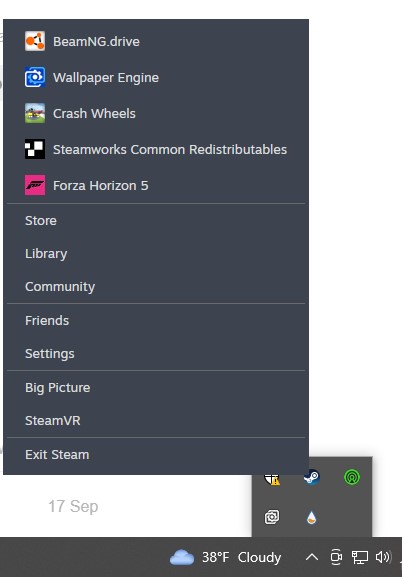
Then turn off steam. click the little arrow next to the wifi and volume if this is on windows. Probably on the bottom right. Then right click the steam icon and click exit. Then hold down the power/xbox button till it forced it to shut off. If that doesnt work idk how
Yes. Once steam is closed you might be able to force your remote or controller to shut off
Also once this is over check steam keybinds for the controller if theres a check box or something for the big picture or whatever. Turn that setting off
I… either set it on my desk and it turns off automatically, or I set it on its charger and go about my life.
shrug i dunno